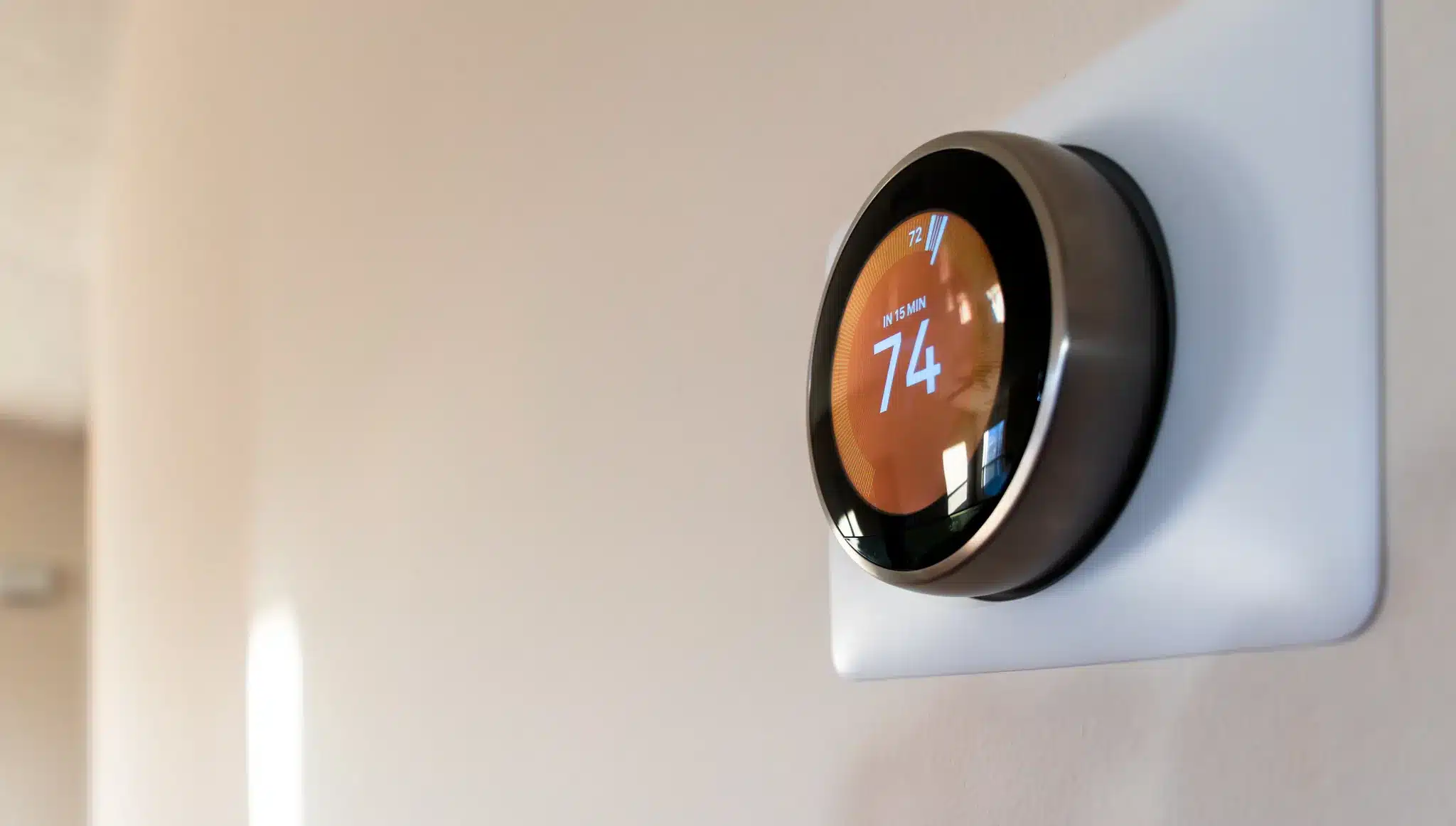
A thermostat that won’t reach the set temperature costs you twice: Once on the bill, again in the constant battle to stay comfortable. Most of the time, thermostat problems are something small like a forgotten setting, a sensor that’s reading the room wrong, or a clogged filter. Still, it feels personal when you’re sweating through summer nights or waking up to a house that’s colder than your fridge.
Since 1944, we’ve been helping homeowners across Tennessee, Alabama, Kentucky, and Georgia solve thermostat issues. In this guide, you’ll learn what to check, what to fix, and when it’s time to hand the wrench to a professional like us.
Quick Checks Before Troubleshooting a Faulty Thermostat
When your thermostat won’t reach the set temperature, it’s easy to assume the system’s broken, but let’s rule out the easy stuff first. It only takes one wrong tap, a dead battery, or a tripped breaker to throw things off.
Half the service calls we get could’ve been solved by checking a switch or resetting a schedule. You don’t want to spend an hour diagnosing airflow problems only to realize the thermostat was still in “Away” mode from last week’s vacation.
Here’s a quick checklist before diving into deeper thermostat troubleshooting:
- Confirm the correct mode. Make sure it’s set to Heat, Cool, or Auto depending on the season. Switching from “Auto” to the right mode can fix an A/C not reaching the set temperature almost instantly.
- Check the fan setting. “Auto” lets the fan cycle with heating or cooling; “On” keeps it running nonstop, which can cause uneven comfort or wasted energy.
- Review Hold settings and schedules. A “Hold” may lock in the wrong temperature or keep an old program running in the background.
- Replace the thermostat batteries. Low power can cause delayed signals or erratic readings.
- Verify power sources. Check the furnace or air handler switch and reset any tripped breakers.
- Inspect the date, time, and eco modes. Smart thermostats with geofencing can stay in “away” mode even when you’re home, especially if Wi-Fi drops out.
If everything checks out, but your house still can’t hit the target temperature, the issue runs deeper than a settings glitch.
Common Reasons Your Thermostat Isn’t Reaching the Set Temperature
The most common reasons a thermostat won’t reach the set temperature include:
- Thermostat placement
- Calibration errors
- Wiring or configuration problems
- Airflow restrictions
- Equipment limits
Whether your A/C isn’t reaching the set temperature in July or your heat struggles in January, the root cause usually falls into one of the above categories.
Homes in our area across the Southeast deal with everything from uneven ductwork to blazing afternoon sunrooms that throw off the balance. Once you understand what’s happening, you’ll know whether the fix is a quick adjustment or requires professional attention.
Let’s dig into each common thermostat issue in more detail.
Thermostat Placement
Your thermostat might be perfectly functional, but it’s just reading the wrong room. If it’s mounted on an exterior wall, near a supply register, in direct sunlight, or next to the kitchen stove, it’s getting false temperature readings all day long.
The thermostat thinks the whole house is 78°F because it’s sitting in a sunny hallway, while you’re freezing in the living room at 70°F.
In 95% of homes, room temperatures deviate from the thermostat setting by -3°F to +2.5°F. That’s the reality of trying to control an entire house from a single sensor in one location.
Placement matters more than most homeowners realize.
Poor Calibration or Tight Differential
Thermostats have a built-in “swing” or differential (the buffer zone where they wait before kicking the system back on). If that swing is too tight (say, 0.5°F instead of 1-2°F), your system short-cycles.
Short-cycling is when your system runs for three minutes, shuts off, then fires up again five minutes later. The house never stabilizes.
Some smart thermostats overshoot or undershoot the setpoint based on how their sensors predict temperature changes. If the calibration drifts even a degree or two, you’ll feel it.
Incorrect System Configuration
Incorrect system configuration is where things get technical. Heat pumps operate differently from standard furnaces and air conditioners, and the thermostat has to know which type of system it’s controlling.
If it’s programmed for the wrong setup, or if the wiring controlling heating and cooling (the reversing valve) is reversed, it can cause your system to short-cycle or heat when it should be cooling.
More than 65% of residential Heating, Ventilation, and Air Conditioning (HVAC) systems have installation faults, resulting in 20-30% higher energy consumption.
Wiring mistakes occur during installation or DIY thermostat swaps, and most homeowners don’t realize until the system can’t keep up. We verify the system configuration, check terminal connections, and ensure the thermostat and equipment are speaking the same language.
Airflow Restrictions
A clogged filter is the most common cause of airflow issues. When the system can’t pull enough air through the return, it overheats (in heating mode) or freezes up (in cooling mode). Either way, the thermostat never receives the temperature it’s requesting.
Closed or blocked vents make the problem worse.
You’ve got warm air trapped upstairs because someone shut the register in the guest bedroom. Meanwhile, the downstairs stays cold, and the thermostat keeps calling for more heat.
Dirty evaporator coils and blower issues compound the strain.
Refrigerant or Equipment Capacity Problems
Undersized systems, low refrigerant levels, or aging equipment all limit the amount of heating or cooling your system can deliver. If your air conditioner was barely adequate when it was new, it’s definitely struggling now after ten years of wear.
65% of HVAC systems suffer from refrigerant undercharge or overcharge faults in field data.
When refrigerant levels drop, your A/C runs longer to produce less cooling. The thermostat keeps calling for 72°F, but the system tops out at 75°F and stays there.
If your system’s healthy but still can’t keep up, capacity or maintenance might be to blame.
Aging or Poorly Maintained Systems
Every year without maintenance, your system loses a little efficiency. Coils get dirtier. Motors wear down. Seals crack. What started as a minor performance drop becomes a major comfort problem when summer heat or winter cold pushes the system to its limit.
Safe DIY Fixes for a Thermostat Not Reaching the Set Temperature
When your thermostat isn’t reaching the set temperature, the problem isn’t always complicated or expensive. You don’t need to be an HVAC technician to fix small comfort gaps around your home. In fact, a few minutes of basic maintenance can often restore balance and help your system run smoothly.
That said, there’s one rule: Never touch wiring or refrigerant lines. Those are for licensed professionals only. Everything below is fair game for homeowners and perfectly safe to try.
Here are the easiest and safest ways to fix a thermostat that’s lagging behind your comfort level.
Replace the Air Filter
A dirty filter is the easiest fix and, in our experience, the most overlooked. Swap it out every 30-90 days, depending on your home’s dust levels, pet presence, and system usage. Better airflow means better temperature control.
Open All Vents and Registers
Walk through the house and make sure every supply and return vent is open and clear. Furniture, rugs, and curtains can easily block airflow or create pressure imbalances that confuse the system, leaving some rooms too hot or too cold.
Adjust Thermostat Calibration or Offset
Most digital and smart thermostats let you calibrate the temperature sensor. If your thermostat reads 75°F but the house feels like 85°F, check the manual and adjust the offset by one or two degrees. This small change can eliminate the gap.
Re-Seat the Thermostat on the Wall Plate
Sometimes the thermostat just isn’t making solid contact with the base. Pull the thermostat off its mounting plate, then press it back on firmly. Loose contact between the thermostat and wiring terminals can cause erratic readings or delayed responses.
Disable Eco or Away Schedules Temporarily
Smart thermostats love efficiency, but their automated schedules can override your comfort. Turn off geofencing, eco mode, and “learning” features while you test.
Update Firmware
Manufacturers release updates to fix bugs and improve performance. Check your smart thermostat’s app or settings menu for available updates.
Shade or Relocate the Thermostat
If your thermostat sits in direct sunlight or near a heat source, it’s reading a much warmer temperature than the rest of your home. Hang a curtain, move a lamp, or consider relocating the thermostat to a more neutral wall (preferably an interior one).
Verify the System Type Setting
Double-check that your thermostat is configured for the correct equipment. As mentioned in the previous section, heat pump systems require different settings than conventional furnaces and air conditioners. An incorrect configuration can cause short-cycling or incomplete heating and cooling.
If the house still struggles to reach your set temperature after trying these fixes, it’s time to call in a professional for diagnostics and repairs, as there could be a deeper mechanical or electrical issue.
When to Call a Professional HVAC Technician
If your thermostat still won’t reach the set temperature after you’ve checked settings and airflow, it’s time to call a licensed professional. At that point, the issue isn’t user error; it could be a system or component problem hiding behind the drywall.
The longer it runs this way, the more energy and comfort you lose.
Here are a few clear signs it’s time to bring in the pros:
- A persistent 3°F or more gap between the thermostat’s setpoint and the actual room temperature.
- The system short-cycles or runs endlessly without ever catching up.
- You notice ice on refrigerant lines, weak airflow, or leaking around the unit.
- Second-floor rooms tend to be hotter or colder than the rest of the house (often due to ducting or zoning issues).
- The thermostat is miswired, missing a C-wire (the one that supplies power), or has a reversed O/B valve (heat pump control that makes the system heat when it should cool).
- A zone damper or sensor has failed.
- There’s a suspected capacity mismatch or blower motor failure.
Restore Comfort with Trusted Thermostat and HVAC Repair Services
When your thermostat says “heat on” but the house still feels cold, it’s a clear sign your system needs attention. Don’t worry, you’re not the only one dealing with this.
Across the Southeast, homeowners face the same frustration — humidity, seasonal dust, and long, hot summers that push HVAC systems to their limits. Over time, that kind of strain takes a toll.
According to the University of Central Florida, air conditioning and heat pump systems lose 2-3% of their efficiency every year without maintenance. After a decade, that can mean nearly 30% less performance than when your unit was new … which is exactly why consistent care matters.
We’ve helped thousands of homeowners across Tennessee, Alabama, Kentucky, and Georgia restore their comfort and efficiency. Our licensed and insured technicians specialize in HVAC repair, thermostat installation, and comprehensive system diagnostics, using advanced tools to pinpoint why your home isn’t maintaining the right temperature.
Ready to get your comfort back? Request an appointment today. We offer flexible financing options, and our Lee Company+ Membership offers year-round peace of mind with annual inspections, priority scheduling, and no emergency fees.
Whether it’s a wiring issue, airflow problem, or an aging system that’s losing capacity, we’ll find the cause, fix it, and help you prevent it from happening again.